Welcome to my in-depth guide on the best Video Caption Generator Apps you can use right now to create viral videos. Suppose you are a content creator, YouTuber, video editor, or someone who wants to boost your visibility on Instagram Reels, TikTok, or YouTube Shorts. In that case, adding captions to your videos is no longer optional. It is something every creator needs today.
Since I regularly create videos for YouTube, social media, and various client projects, I have realised how much difference accurate captions can make. Over time, I have worked with tools like Adobe Express, Canva, ClipMagic, and Filmora, and they have genuinely helped me speed up my workflow. In this guide, I am sharing my hands-on experience with these tools, along with a few other caption generators that are widely used by content creators.
By the end of this blog, you will have a clear idea of which video caption generator fits your style, helps you save editing time, and improves the overall performance of your videos across different platforms.
Why You Need a Video Caption Generator
(Especially for Instagram & YouTube Reels)
If you are creating video content for Instagram, Facebook, TikTok, or YouTube Shorts, you already know how fast content moves. Most viewers scroll with their sound muted, which means that if your message is not visible through captions, they will instantly skip your video.
Adding captions helps you:
- Increase video watch time
- Boost user retention
- Improve accessibility
- Reach multilingual audiences
- Support SEO for YouTube videos
- Videos with captions improve the performance
- Make your Reels and Shorts more engaging
This is also why creators search for video captions for Instagram, video captions AI, video captions free, and video captions generator.
The right video caption generator app not only saves time but also helps you create professional-looking captions that match your brand style.
What Makes a Great Video Caption Generator App?
Before choosing a video caption tool, it is important to know what features matter. Since I have used several of these apps personally, here are the things I always look for:
- Accurate Auto-Subtitle Generator (AI-powered)
- Different caption styles & templates
- Font customisation, emojis, animations
- Timeline-based editing
- Multiple languages
- Export in multiple sizes (1080p, 9:16 vertical, etc.)
- Audio-to-text accuracy
- Free vs paid features
- Ability to correct captions manually
These factors will help you pick the right tool depending on the type of videos you create, such as wedding video captions, funny video captions, Instagram transition videos, sales videos, explainer videos or educational content.
Best Video Caption Generator Apps
(My Tried & Tested List)
After working on different video styles across YouTube, client videos, animation videos, and social media content, here is the list of video caption generator apps that deliver reliable results.
Some I have personally used (Adobe Express, CreateStudio, Canva, ClipMagic, and Filmora), while others are included based on extensive industry usage, reviews, and creator feedback.
1. Adobe Express
– Add Captions to Videos Online for Free
This is one of the tools I personally use, especially when I want a clean and professional caption style without spending too much time adjusting settings. Adobe Express offers Add Captions to Videos Online for Free, making it a reliable choice for beginners and advanced users.
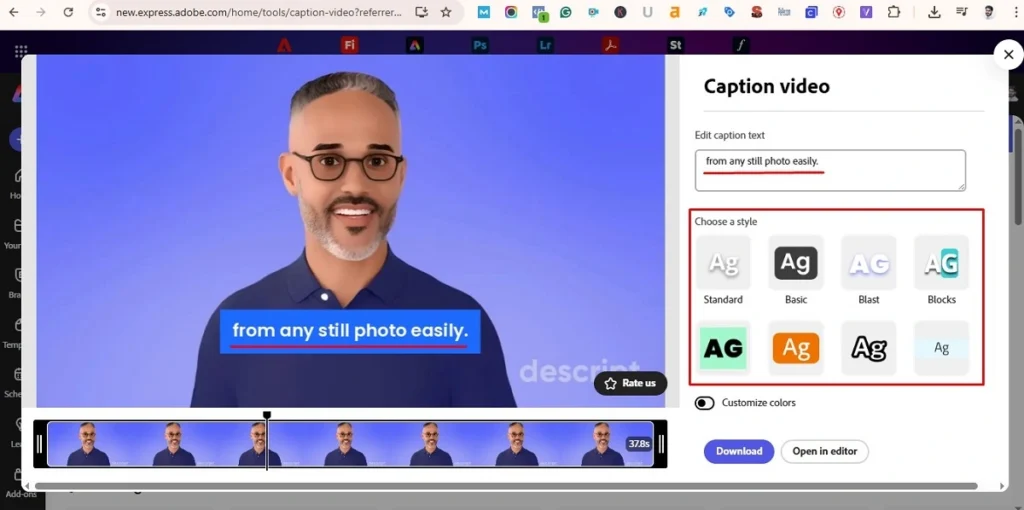
Why I like Adobe Express:
- Trusted Adobe quality
- Very clean caption layouts
- Easy drag-and-drop interface
- Works across devices
- Perfect for video marketing and brand content
If you create testimonial videos, promo videos, or ads, Adobe Express offers neat and branded captions.
Also Read – Adobe Stock Review
2. Canva
– Add Subtitles to Video – Online & Free
As a Canva user, I find their captioning system extremely convenient. Canva’s captions feature has improved significantly and now includes automatic subtitle generation in multiple languages.
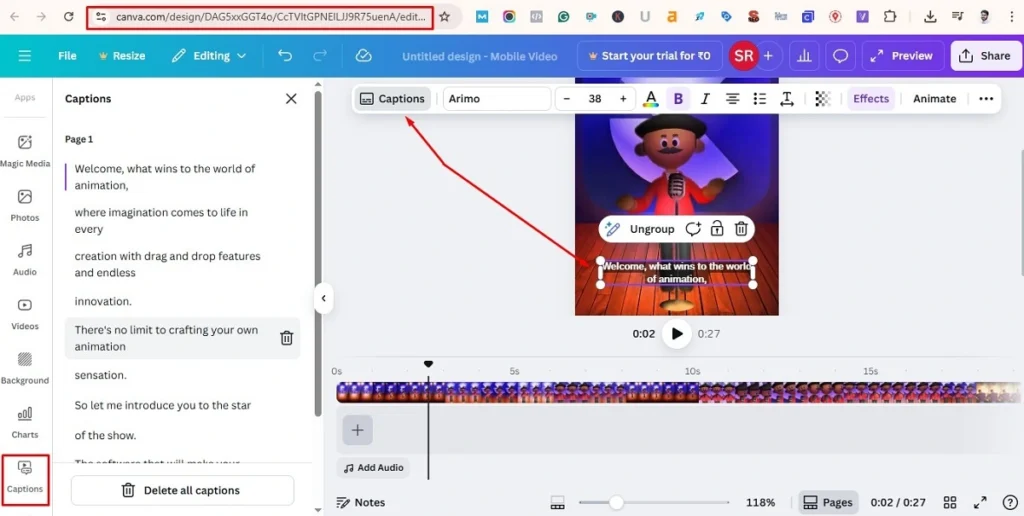
What I like about Canva:
- Auto-transcription
- Stylish templates
- Supports social media video sizes
- Great for social media marketing teams
- Perfect for creating wedding video captions, reels, and promos
Canva is also perfect if you want to create vertical videos, add subtitles, and download instantly.
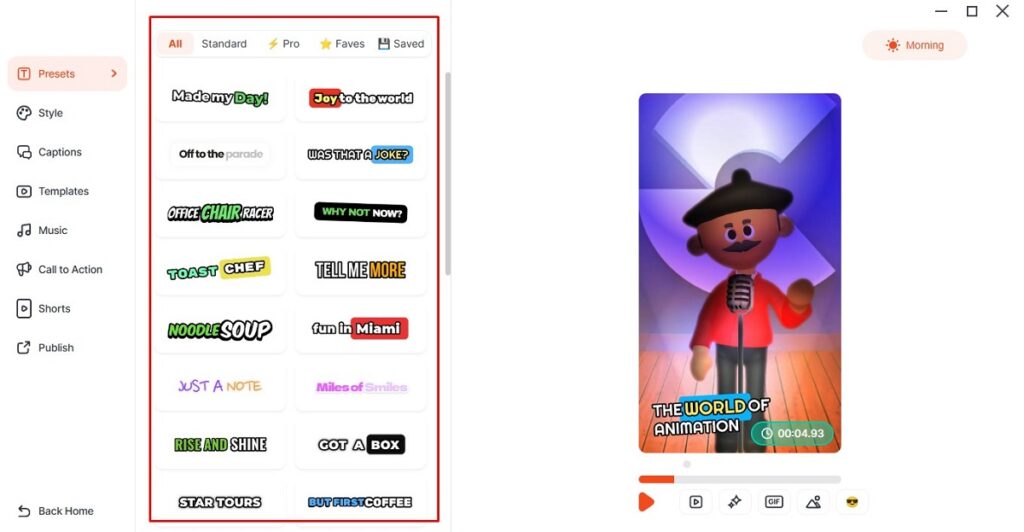
3. ClipMagic
– For Viral Shorts & AI Auto-Captions – Paid
ClipMagic is another video caption-generating tool, but it is a paid tool. I have used it personally, and it is especially helpful for creating Instagram Reels and YouTube Shorts. It is an AI-driven auto-subtitle generator tool with 99% accuracy.
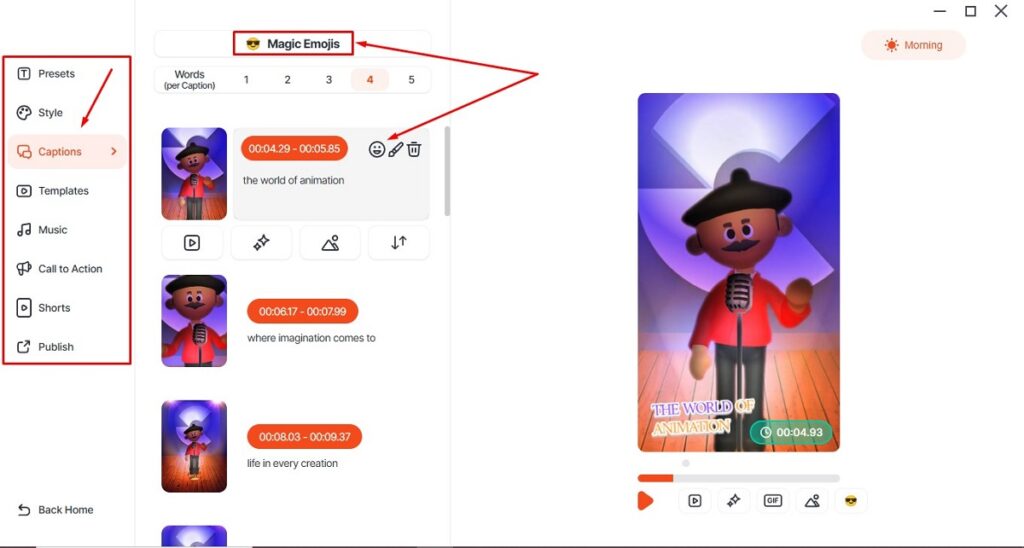
Why I like ClipMagic:
- Perfect for viral content
- Tons of caption templates
- Trendy font styles
- Auto cut, auto caption
- Great for creators and influencers
If you create short-form videos regularly, ClipMagic will save you a lot of time.
4. Filmora Auto Caption
– Perfect for Desktop Editors
I use Filmora video editing tool by Wondershare for many of my longer videos and client projects; their auto-caption feature has been a huge help. If you create social media content, tutorials, or even sales videos, Filmora’s automatic subtitle generator fits smoothly into your workflow.
It picks up your audio and adds accurate subtitles within a few clicks, which makes the entire process a lot faster. In my experience, this small feature alone can boost your video’s engagement across platforms because viewers instantly understand what your video is about, even if they are watching on mute.
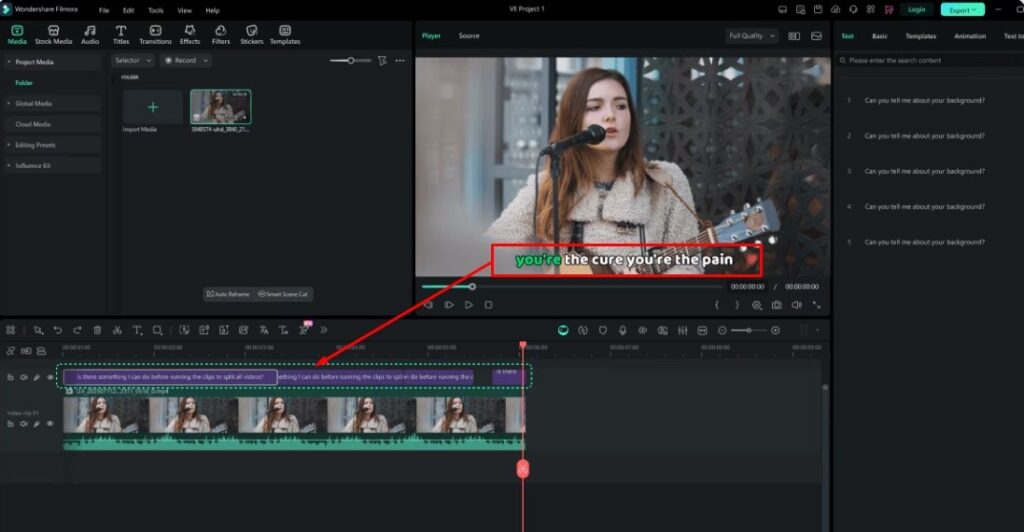
What makes Filmora great:
- Desktop reliability
- Auto-caption with great accuracy
- Multi-language support
- Easy timeline adjustments
- Great for YouTube videos and explainer content
If you are editing long-form content, Filmora is a strong choice.
5. VEED
– Best for Fast & Accurate Auto-Subtitles
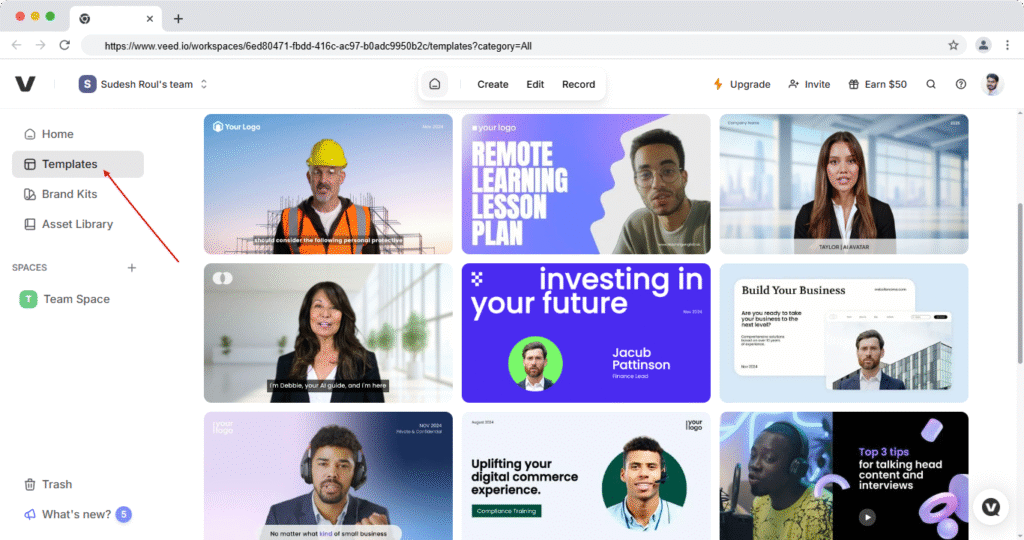
VEED is one of the most popular tools among YouTubers, agencies, and social media creators because of its extremely fast and accurate caption generator. It offers captions and subtitles, adding features to the video along with a clean interface.
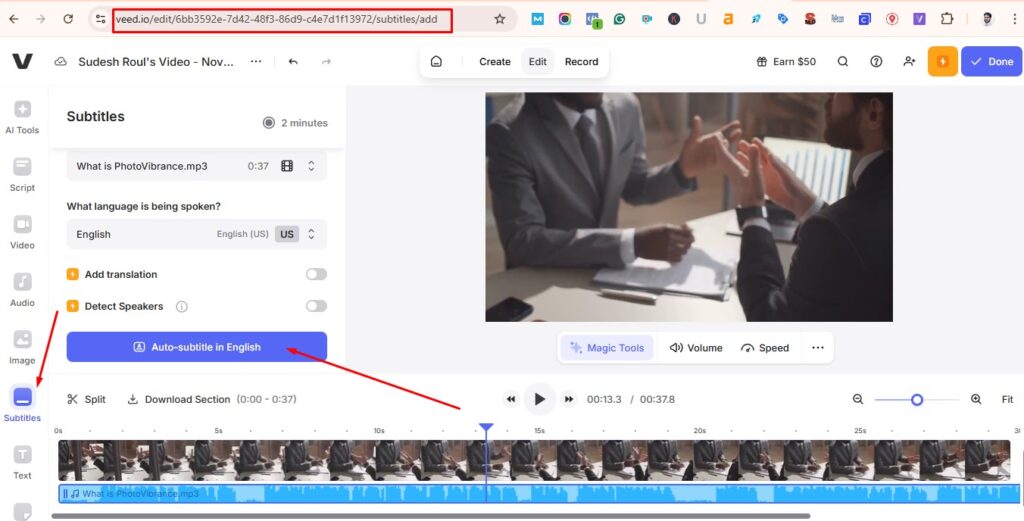
Why creators love VEED:
- Supports 100+ languages
- Auto-Subtitle Generator with high accuracy
- Easy to edit captions on the timeline
- Great for Reels, Shorts, TikTok
- Multiple stylish caption templates
Best for: Creators who want a fast and reliable online caption generator with powerful editing options.
6. Kapwing
– Smart “Video Captions Generator” for Creators
Kapwing is another go-to tool for creators who want an easy “video captions generator free” experience.
It offers:
- Automatic captioning
- Studio editor with timeline
- Emoji integration
- Great meme-format captioning
- Export for all social platforms
This tool is especially popular for YouTube creators, meme pages, and content repurposing.
7. Vizard
– Smart AI Video Caption Generator for Repurposing Content
Vizard is excellent if your workflow includes repurposing long videos into smaller clips.
Features include:
- Auto clip detection
- Auto subtitles
- Fast rendering
- Ideal for podcasts, interviews, and webinars
- “Add Subtitles to Video: Video Captions Generator” feature
Great for content creators who want to turn long-form videos into engaging short videos.
8. Video Subtitle Generator
by Amer M Alomari (Android App) – freemium
If you’re looking for a free or freemium mobile solution, this Android app is very helpful.
Why it’s worth trying:
- Auto-generated captions
- Export without watermark (depends on plan)
- Easy UI
- Great for on-the-go editing
- Best for “video captions app” and “free video captions” searches
Perfect for creators who prefer working directly on mobile.
Video Caption Generator Apps Comparison
| App Name | Accuracy | Free Plan | Best For | Export Options |
|---|---|---|---|---|
| VEED | High | Yes | Reels, Shorts | 720p–1080p |
| Kapwing | Medium–High | Yes | Memes, Reels | All formats |
| Adobe Express | High | Yes | Business videos | 1080p |
| Canva | High | Yes | Social media | 1080p |
| ClipMagic | High | No | Viral Shorts | 1080p |
| Filmora | High | No | YouTube | 4K |
| Vizard | High | Freemium | Repurposing | 1080p |
| Video Subtitle Generator | Medium | Freemium | Mobile users | 1080p |
My Recommendation
Which Video Caption Generator App Should You Use? Based on my personal experience and the needs of different types of creators:
- For highest accuracy: VEED
- For branded videos: Adobe Express
- For creative social media content: Canva
- For viral short videos: ClipMagic
- For YouTube and long-form content: Filmora
- For content repurposing: Vizard
- For mobile captioning: Video Subtitle Generator (Android)
Choose the tool based on your workflow and platform preference. Most of these tools offer free versions, so testing them is easy.
How to Choose the Right Video Caption Generator App
(My Quick Tips)
Here are some practical tips to help you choose the right caption generator:
- Match caption style with your brand voice
- Check if the app supports your platform (Instagram, YouTube, TikTok)
- Test auto-caption accuracy
- Choose vertical (9:16) support for Reels & Shorts
- Check if the tool offers manual editing
- Avoid apps that add watermarks unless you upgrade
- Understand free vs paid limitations
This will help you select the best tool for your specific content goals.
Final Thoughts on Using Video Caption Generator Apps for Viral Videos
Adding captions to your videos is one of the easiest ways to boost engagement, especially on platforms where silent viewing is common. With the growth of Instagram Reels, TikTok trends, and YouTube Shorts, captions help improve retention and make your message clear from the very first second.
Whether you’re a YouTuber, video marketer, business owner, or content creator, these video caption generator apps will save you time and help your videos perform better. Try a couple of tools from this list and see which one fits your editing style and content workflow.
FAQs
What is a video caption generator?
A video caption generator is a tool that automatically converts spoken audio into readable subtitles using AI.
Are video caption generator apps free?
Yes, many apps, such as Kapwing, Canva, Adobe Express, and the Android subtitle generator, offer free plans.
Which app is best for Instagram Reels captions?
ClipMagic, VEED, and Canva offer the most trendy and dynamic caption styles for Reels.
Can I generate captions for YouTube videos?
Yes. Filmora, VEED, and Vizard provide accurate auto-captioning for long-form and short-form YouTube videos.
Do captions help videos go viral?
Absolutely! Captions increase watch time, improve engagement, and help viewers understand your content even with sound off—making your videos more likely to perform well.