If you’ve ever downloaded a preview from a stock website, you’ve probably seen that big overlay across the image. And naturally, the first thing that comes to mind is: “How do I remove a watermark from stock images?”
I understand the curiosity. As a content creator, blogger, or even a YouTuber designing thumbnails, you may want a clean version quickly. But before you try to erase a watermark or search for an Adobe Stock watermark remover, it’s important to understand what’s legal, what’s not, and what your safer alternatives are.
In this guide, I have explained how watermark tools work, when it’s allowed to remove watermarks from photo files, and what the legal risks of downloading stock images illegally can look like.

What Is a Watermark and Why Do Stock Websites Use It?
Before you attempt to remove a watermark from image files, you need to understand why it’s there in the first place. A watermark is a visible overlay (text, logo, or pattern) placed on preview images. It protects the creator’s work from being used without permission.
Premium stock websites like Adobe Stock, Shutterstock, Getty Images, iStock and others use watermarks on preview downloads to prevent unauthorised use.
Why They Do This
- To protect intellectual property
- To prevent unauthorised downloads
- To ensure creators are paid
- To enforce licensing agreements
When you buy a license, you receive the clean file. The preview with a watermark is not meant for public use.
If you try to remove copyright from photo previews without licensing, you’re violating the agreement you accepted while downloading.
Remove Watermark from Stock Images – Is It Legal?
There is a big difference between editing your own image and trying to remove a photographer’s watermark from licensed content.
Removing watermarks from stock images can violate copyright policies, especially for sites like Shutterstock, Getty Images, and Adobe Stock.

What Happens If You Do It Anyway?
- Account suspension
- DMCA takedown notice
- Legal claim from the copyright holder
- Financial penalties
If you search “remove watermark from stock images free,” many sites promote tools without explaining the consequences. That’s dangerous. I have already written about the legal risks of downloading stock images illegally in detail.
When Is It Allowed to Remove a Watermark from Photo Files?
Let’s keep things practical and fair.
There are situations where you can remove a watermark from picture files legally.
1. When It’s Your Own Image
If you added a watermark and want to remove the logo from picture versions for rebranding, that’s perfectly fine.
2. When You Purchased the License
Sometimes you download the wrong preview version. After licensing, you can legally download the clean file instead of trying to erase the watermark manually.
3. Canva Trial Exports
Platforms like Canva sometimes add watermarks on paid elements in trial exports. Once you upgrade or pay, you receive a clean version.
4. Public Domain Images
If the image is genuinely public domain and the watermark was added by a third party, you may legally edit it.
The key question is simple: Do you have rights to edit this file? If yes, you’re safe. If not, stop.
How Tools Remove Watermarks from Stock Images
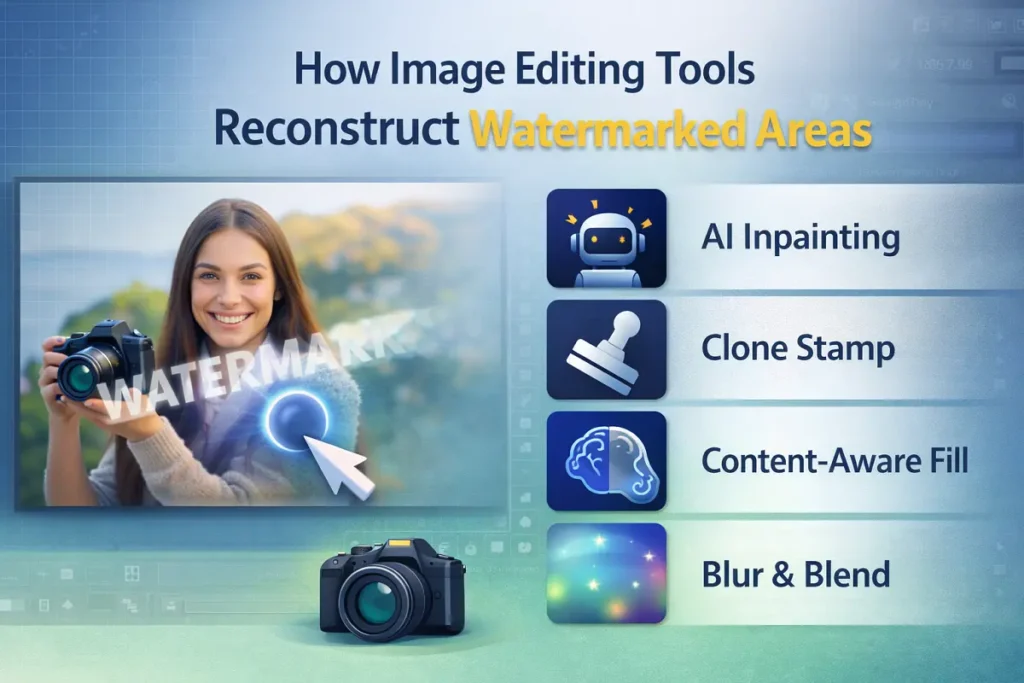
Before talking about specific tools, let’s understand how watermark removal technology actually works. Most watermark remover tools don’t “delete” text magically. They reconstruct surrounding pixels. Here are the core techniques:
AI Inpainting
AI analyses surrounding pixels and fills the marked area intelligently.
Clone Stamp
Copies the nearby texture and overlays it on the watermark area.
Content-Aware Fill
Used in Adobe Photoshop, this analyses the background and blends pixels automatically.
Blur & Blend
Softens watermark areas, often used when trying to remove a logo from an image in simple backgrounds.
Generative Fill
Advanced AI-based fill that recreates missing content.
Free editors like GIMP also provide manual tools for remove object from photos. But again, use these tools only when you have legal rights.
Remove Watermark from Stock Images Using Free Tools
These tools are often marketed as a photo editor to remove a watermark or a logo remover from image apps.
⚠ These tools should only be used for images you own or have legal rights to edit.
Adobe Photoshop (Online)
If you don’t have the desktop version, the web version of Adobe Photoshop provides content-aware features.
Features
- Content-aware fill
- Remove object from photo option
- AI-based fill
Limitations
- Requires an Adobe account
- Limited free access
- Not ideal for complex watermarks
Best For
- Simple overlays
- Removing small logos
Cleanup.pictures
A simple browser-based tool for object removal from an image.
Features
- AI remove person from an image
- Remove something from a picture quickly
- No software installation
Limitations
- Quality drops on detailed images
- Limited free resolution
Best For
- Removing small objects
- Social media edits
WatermarkRemover.io
Specifically marketed to remove watermarks from image files automatically.
Features
- AI detection
- Automatic watermark area recognition
- Fast processing
Limitations
- May distort the background
- Not suitable for detailed textures
Best For
- Simple backgrounds
- Trial edits
Desktop Software for Removing Watermarks
If you are working professionally in video editing, YouTube thumbnail design, or social media marketing, you likely already use editing software.
Adobe Photoshop (Desktop)
Best tool if you need full control.
It’s not just a remove watermark from photo tool. It can:
- Remove person from photo
- App to remove people from the background functionality
- Advanced clone stamp
- High-resolution editing
For video creators, clean visuals matter. If you’re creating a YouTube video thumbnail or working on video ads, image clarity is essential.
AI-Based Apps
Mobile apps are getting smarter.
PicsArt
- Logo remover from image
- Background remover
- AI remove person from an image
Photoroom
- Remove object from photo
- Background cleanup
- Social media image optimisation
These apps are useful for social media video thumbnails, YouTube channel banners, and quick edits.
Better Alternative: Use Free Stock Image Websites
Instead of searching for Adobe Stock watermark remover solutions, a smarter option is to use free legal platforms. Consider a free stock photo website:
Why This Is Better
- Royalty-free downloads
- Commercial use allowed
- No watermark issues
- No legal tension

If you are a YouTuber, video content creator, or someone doing video marketing, this saves you stress.
You can focus on: Video creation, YouTube SEO, Video editing, Thumbnail optimisation, and social media video campaigns instead of worrying about copyright strikes.
Remove Watermark from Photo vs Download Licensed Version
If the image is important for your brand, website, YouTube intro, or client project, buy the license.
Trying to remove copyright from photo previews might save money today, but it can damage your brand tomorrow.
If you’re serious about content creation, whether it’s stock video, video assets, whiteboard animation, or photo editing softwares, professionalism matters.
FAQs
Is it illegal to remove watermark from stock images?
Yes, if you do not own the image or have a valid license. Removing watermarks from preview images violates copyright agreements and can lead to legal action.
Can AI remove watermarks?
AI tools can technically erase watermark areas using inpainting and reconstruction. However, using them on copyrighted stock previews without permission is illegal.
How to remove Adobe watermark free?
There is no legal way to remove a Adobe watermark without purchasing a license. The correct method is buying the image and downloading the clean version.
Are there free watermark removers?
Yes, tools like Photoshop, Cleanup.pictures, and WatermarkRemover.io exist. They should only be used on images you legally own.
What happens if I use watermarked images?
You may receive DMCA takedown notices, account suspension, or copyright claims from the original creator.
